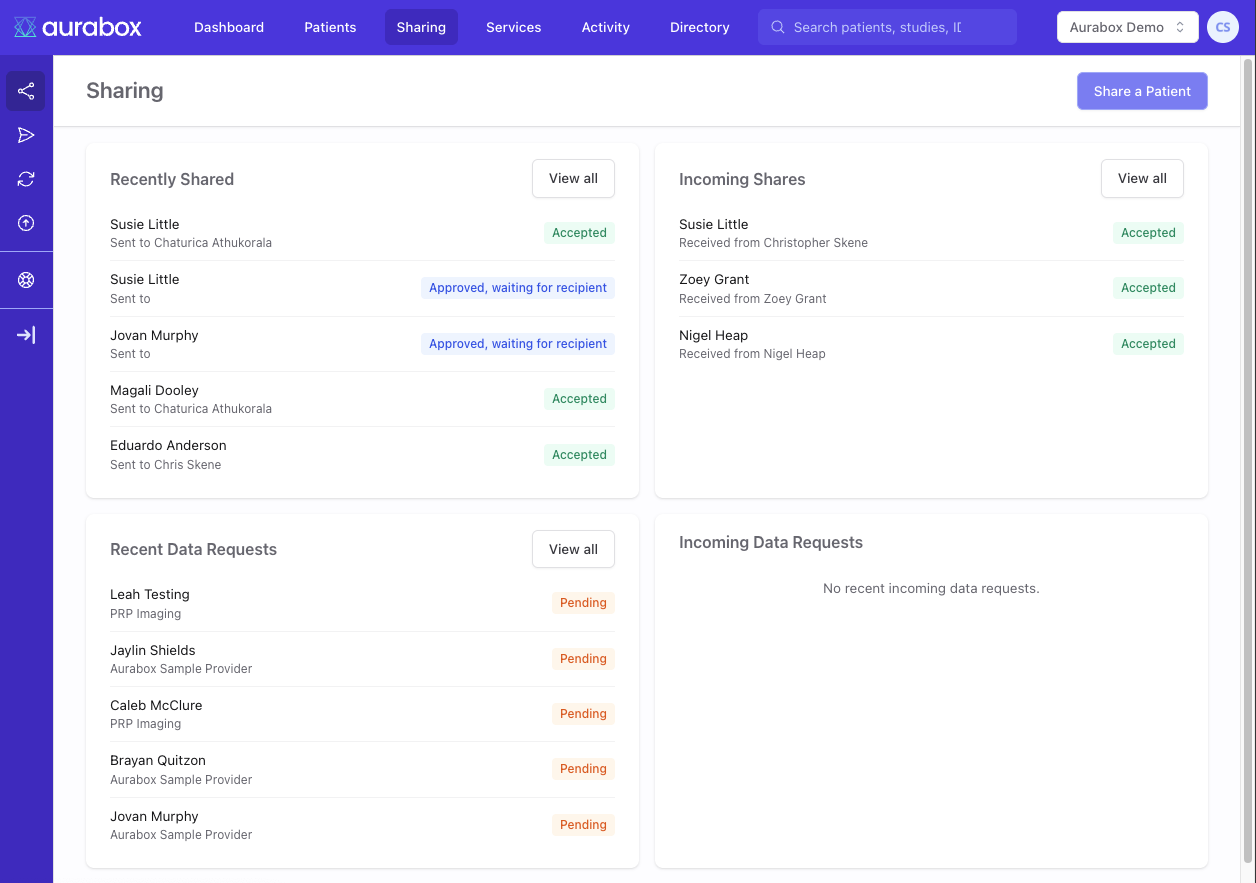
Imaging practices produce the studies. But getting those studies to the people who need them — referrers, patients, treating clinicians, insurers — has always been harder than it should be.
This release introduces direct PACS connectivity, flexible sharing tools, and granular access controls — so you can pull studies from your PACS into Aurabox and share them with anyone who needs access, with full control over what recipients can do.
Share Imaging with Referrers, Patients, and Third Parties
Most imaging practices rely on a portal or a CD to get studies out the door. Portals are expensive, rigid, and require the recipient to have an account. CDs are slow and easy to lose. Neither works well for ad hoc requests.
New sharing features in Aurabox give you three ways to get imaging to the people who need it:
- Share via email — Search for a user or enter an email address. The recipient receives a notification with access to the patient's imaging. This is ideal for referrers and known clinicians.
- Share via link — Generate a shareable link you can send through any channel. The recipient clicks the link to access the imaging. No account required unless you choose to enforce it.
- View-only link — Create a temporary, view-only link for situations where you just need someone to see the images. No account, no sign-up, no friction.
This covers the full range of sharing scenarios an imaging practice faces day-to-day: routine referrer access, patient requests for their own records, ad hoc requests from treating clinicians like surgeons or oncologists, interstate referrals, and insurance or medico-legal requests.
Granular Access Controls
Every share can be configured with restrictions that give you precise control over what the recipient can do:
- Sharing — Prevent the recipient from re-sharing the patient with others
- Editing — Lock the patient data so it can't be modified
- Reports — Allow or prevent the recipient from adding reports (useful when sharing for the purpose of external reporting)
- Viewing — Control whether imaging can be viewed online
- Downloads — Prevent the recipient from downloading the data
- Access Expiry — Set a date after which access is automatically revoked
- Login required — Choose whether the recipient needs an Aurabox account or can view without one
For routine clinical sharing with referrers, you can use the "No restrictions" preset and share in seconds. For sensitive or limited-scope sharing — insurance requests, medico-legal, or external reporting — the restricted share option gives you the control you need.
Direct PACS Integration with Bounce
Sharing only works if getting studies into Aurabox is fast. That's where Bounce comes in.
Bounce connects your PACS directly to Aurabox. Instead of exporting DICOM files, burning discs, or uploading manually, you can query your PACS from within Aurabox — search for patients, filter by date range and modality, and import studies directly.
The Find Patient workflow makes it simple: locate a patient in your PACS, select the studies you need, and pull them into Aurabox in a few clicks. From there, they're immediately available to share.
You can track imports in progress, cancel queries you no longer need, and manage your PACS connections from the Services Directory. This removes the manual step between your on-premise archive and being able to share studies externally.
How This Helps Imaging Practices
Imaging practices today face a constant stream of requests to share studies. Referrers expect timely access. Patients increasingly ask for their own records. Treating clinicians — surgeons preparing for a procedure, oncologists reviewing prior imaging, specialists interstate — need studies sent to them quickly and securely. Insurers and legal teams make formal requests that require auditable, controlled access.
Until now, meeting all of these needs has meant either running an expensive external portal, burning CDs, or cobbling together ad hoc workflows.
These new features let you handle all of it from one place. Connect your PACS, pull in the studies, and share them — with referrers, patients, or anyone else — using the method and access level appropriate to the situation. No separate portal. No physical media. No per-recipient setup.
For referrers, this means they get access to imaging faster, without needing to log into a proprietary portal or wait for a disc. For ad hoc recipients — a treating surgeon, an interstate specialist, an insurer — you can generate a link or send an email in seconds, with exactly the access restrictions the situation requires.
These features are available now across all Aurabox workspaces. You can get started for free and only pay for what you use. If you have questions about connecting your PACS or getting started with sharing, reach out to our support team.